CONFIDENTIAL
MOVING YOU
TO BCC!
Pass the work. Dodge the blame. Survive the office.
The office party card game · 3–5 players · 15–20 min · 14+
▶ Host my first gameYour phone walks the table through it, step by step. ▶ Play online freeNo cards yet? Practice against the computer.
Learn it in 3 minutes
0/6 read
-
Projects keep falling from above. Your job is not to finish them. It is to make them land on someone else's desk.
YouMiaKaiSam
Press play.
Too much workload gets you a PIP. Two PIPs and you're laid off (#FUNEMPLOYED), and the meeting is over. Then the Quarterly Audit: the fewest PIPs gets promoted.
- Draw 1 → reveal 1 → play any

Office deck 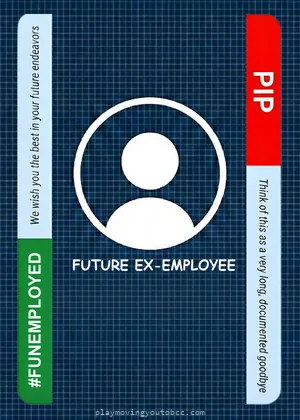
Project deck 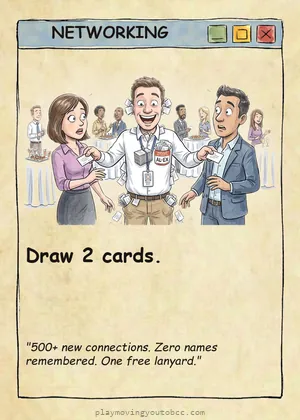
Tap the steps in order.
- Draw: discard the WFH / OOO / PTO you played last turn, then draw 1 Office card.
- Reveal: flip the top Project card. It lands on you unless it's Urgent or an Announcement (next emails).
- Play: any number of cards without ⚡, then pass left.
-
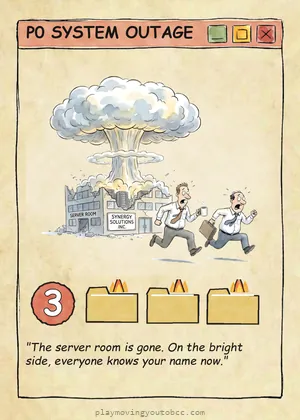
Revealed a red Urgent Project? Everyone shouts "3, 2, 1" and points at once. Pointing at yourself is allowed.
 YouMiaKaiSam
Ready?
Most fingers takes it. A tie goes to whoever revealed it. Grey Announcements are simpler: read it, do it, discard it.
-
When a Project is about to land on you, play one ⚡ card (its text starts with DODGE:) to send it away.
YouMiaKaiSam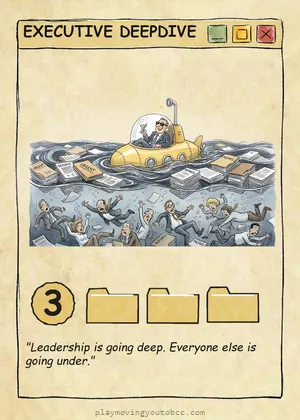
A 3-workload Project is headed your way…
One dodge each: you may dodge a given Project only once. If it comes back to you, take it. -
Projects you take stay in front of you. Their bottom-left numbers add up to your workload.
Workload 0 / 6
Take some work.
Hit the limit and you get a PIP: flip one Project sideways as your PIP marker. It stops counting as workload, and you keep all your other Projects. A second PIP means #FUNEMPLOYED and the meeting ends on the spot.
-
The meeting ends when someone is laid off, or when the last Project card is revealed (finish that turn). Then everyone is ranked by the Quarterly Audit. The laid-off player is last:
- Kai1 PIP
- You0 PIPs · workload 2
- Sam#FUNEMPLOYED
- Mia0 PIPs · workload 4
Fewest PIPs wins, then lowest workload, then most cards in hand, then most ⚡ cards in hand (reveal them). Still tied? Shared promotion.
APPROVED
Certified Work Dodger
You're ready. Deal 4 Office cards each and let the reassigning begin.
Table mode
- Shuffle the Office deck (red envelope backs) and the Project deck (badge backs) separately. Place both face down.
- Deal 4 Office cards to each player.
- PIP limit: 6 workload
- Whoever left work last goes first. Play clockwise.
Draw 1 → reveal 1 → play any
| Reveal | Urgent: 3-2-1 vote · 3-workload: On-Call takes it · Announcement: do it · else: yours |
| Dodge ⚡ | once per player per Project |
| PIP | workload ≥ 6 → flip 1 Project as PIP, keep the rest |
| Laid off | 2nd PIP · game over, everyone else is audited |
| Win | fewest PIPs → lowest workload → most cards → most ⚡ cards |
The full rules
Same as the printed rulebook. Tap a heading to expand.
✉ New Message · Goal
Goal
You and the other players work in the same department. Projects keep falling from above. Your job is not to finish them; it is to make them land on someone else's desk.
Reach the PIP limit and you get a PIP. Get a second PIP and you are laid off (#FUNEMPLOYED) and the meeting is over.
✉ New Message · Components
Components
| Office deck 30 | Your hand: Actions + Statuses |
| Project deck 24 | 17 Projects + 7 Announcements |
Project, big bottom-left number = workload
Urgent: everyone votes
Announcement: just do it
Action (⚡ = dodge)
Status
The card text is the full rule. Read it when you draw it.
✉ New Message · Setup
Setup
- Shuffle both decks separately, face down in the middle.
- Deal 4 Office cards to each player.
- Whoever left work last goes first; play clockwise.
| PIP limit | 3 players: 7 |
| 4–5 players: 6 |
Keep your Projects face up, overlapped to the right so every bottom-left number shows.
✉ New Message · Your Turn
Your Turn
- Draw: discard the WFH / OOO / PTO you played last turn, then draw 1.
- Reveal: flip the top Project deck card (see “What did you reveal?”).
- Play: any number of cards without ⚡, then pass left.
When the Office deck runs out, shuffle its discards.
✉ New Message · What did you reveal?
What did you reveal?
- Red Urgent: everyone shouts "3, 2, 1" and points (yourself is fine). Most fingers takes it; ties go to the revealer.
- 3-workload with On-Call in play: it goes to the On-Call player.
- Grey Announcement: read it, do it, discard it. If it needs "the next Project" and you hit another Announcement, put that one on the bottom and reveal again.
- Any other Project: you take it.
The receiver may dodge first. Once it lands, workload ≥ limit means a PIP.
✉ FW: FW: RE: · ⚡ Dodging
⚡ Dodging
When a Project would land on you, you may play 1 ⚡ card (text starts with DODGE:) and send it where the card says. The new receiver may dodge too, on anyone's turn.
WFH dodges 1-workload Projects for you. Players on OOO never receive Projects; they skip to the left.
✉ New Message · Example & Targets
Example & Targets
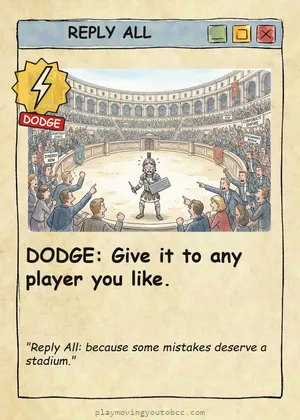
Mia, Kai, Sam sit clockwise. Mia reveals a 3-workload Urgent; everyone points at Kai. Kai plays As Per Last Email: back to his right, Mia. Mia plays Reply All to Sam. Sam sends it back to Mia. Mia already dodged, so she takes it.
✉ High Importance · PIPs & Layoffs
PIPs & Layoffs
PIP: flip one of your Projects face down, sideways left, red PIP tab on top. It stops counting as workload; keep all your other Projects.
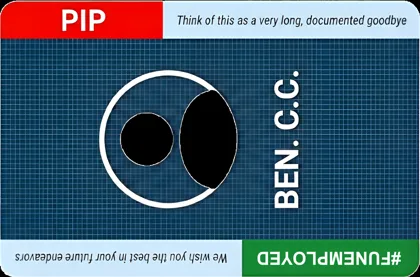 Left: PIP
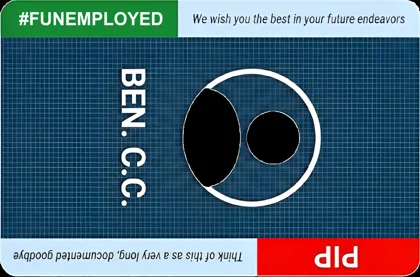 Right: laid off, game over
Second PIP = laid off: turn your PIP cards sideways right, green #FUNEMPLOYED on top. The meeting ends immediately. You finish last; everyone else is audited now. Second PIP? You're #FUNEMPLOYED, and the meeting is over.
✉ New Message · Game Over & Audit
Game Over & Audit
Quarterly Audit order: fewest PIPs → lowest workload → most cards in hand → most ⚡ cards in hand (reveal them). Still tied: shared promotion.
✉ RE: Quick question · FAQ
FAQ
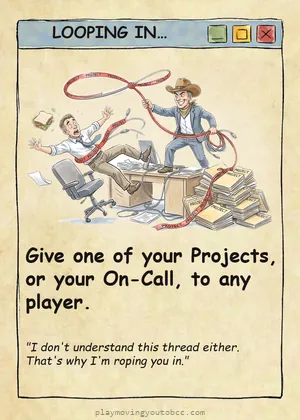
Can I Looping In a Project right after it lands? No, wait for your Play step; dodge with ⚡ before it lands.
Can I Reply All someone else's Project? No, ⚡ only dodges Projects landing on you.
Last card is an Announcement needing a Project? Do what you can, then hold the Audit.
Do PIPs shorten the game? Yes. PIP cards never return to the deck, and a layoff ends the game on the spot.
P0 System Outage is Urgent and 3-workload. Vote or On-Call? Vote. Urgent always wins; On-Call is ignored.
Still over the limit after flipping my PIP? Only one PIP per landing. You'll get the next one when another Project lands on you.
Does WFH count as my dodge? Yes. If that Project comes back to you, you take it.
On-Call says "pass On-Call on." To whom? Any other player you choose (not someone on OOO).
✉ New Message · Quick Reference
Quick Reference
- Draw 1 (discard your own WFH / OOO / PTO first)
- Reveal 1: Urgent vote / 3-workload to On-Call / Announcement / else you → dodge → land
- Play any
| PIP limit | 3p 7 / 4–5p 6 |
| Dodge | once per player per Project |
| Laid off | 2 PIPs = game over |
| Win | fewest PIPs → lowest workload → most cards → most ⚡ |
✍ Played it? Leave a one-line review
Print the rules
- Rules sheet · US Letter, 2 pages
- Pocket rulebook · card-sized, fits the box
Playing a friend's copy?
Get your own when it launches, plus expansion news. Leave your email; we'll only write when it matters.
By joining you agree to our privacy policy.